Open your GIF
Choose an animated GIF from your device, up to 10 MB, 10 seconds and 300 frames. Your source stays on your device while the editor works in your browser.
Put the punchline in a white bar, keep the whole reaction. Caption a GIF with black text above or below the picture, then download your animated loop without a watermark.
Choose an animated GIF from your device, up to 10 MB, 10 seconds and 300 frames. Your source stays on your device while the editor works in your browser.
Add caption to GIF in the multiline box. Try ‘when the code works on the first try’. Long text wraps automatically; adjust the font size, bar position or white/black color pair.
Watch the full preview, then download a new animated GIF. Free Standard export fits the complete canvas within 360px and 2 MB, preserves frame count, timing and loop settings, and adds no watermark.
A white bar caption gives a quiet place to read the joke without hiding a face, a gesture or the original picture. Use this iFunny / Reddit-style format for a work reaction, an inside joke or a caption GIF for Discord.
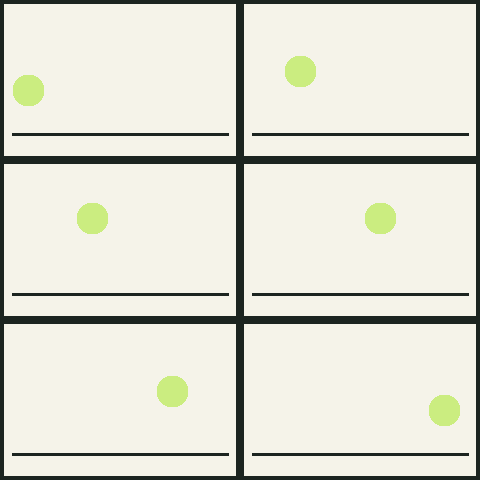
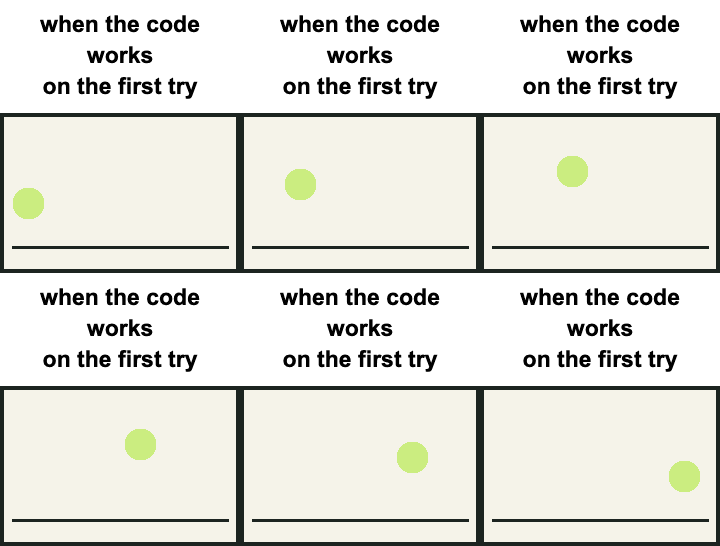
Source: original geometric animation created by MemeLoop for this example, dedicated to the public domain under CC0 1.0. The after image is an actual export from this editor. Download the source GIF to try it.
Use a line break for a deliberate pause or let automatic wrapping do the work. The bar grows with the text. A smaller font gives the reaction more room within the free export size.
Move the band below the picture, or choose a black bar with white text. For labels directly on the image, switch to Text overlay or open Add text to GIF.
Upload your GIF, keep Caption bar selected and type in the caption box. Choose Top and White bar · black text. Line breaks are supported, and long sentences wrap automatically as the bar grows.
No. Caption bar adds space outside the picture, above or below it. The full source aspect ratio remains visible. The canvas becomes the media width × (media height + bar height), then the complete result is scaled to the export size limit.
Download it and attach it as a regular GIF file in Discord. Upload limits depend on your account, server and current Discord policy; check the limit shown by Discord. Free Standard output is at most 2 MB. Use GIF compressor for a smaller target; compression can reduce dimensions or frame rate. GIF auto-play also depends on the viewer’s accessibility and motion settings. Compress your GIF →
No. Free Standard export has no watermark and needs no account. Optional HD export supports up to 720px and costs one credit after sign-in. The whole canvas, including the bar, counts toward the dimension limit.
This page starts with a white caption bar outside the image. Add text to GIF starts with outlined text inside the picture and offers dragging, extra text and person-following. Both use the same editor and export engine, and both can switch styles. Try text inside the GIF →
You can make the familiar iFunny / Reddit-style white bar caption here with your own GIF. MemeLoop is independent of those platforms, does not publish for you and does not add their branding. Use media you own or have permission to adapt.
Both caption tools retain all decoded GIF frames, their delays and loop setting. Very short delays below 20ms use browser-safe timing. Free export may reduce dimensions and colors to meet 2 MB, but does not drop frames. GIFs outside the input and decoded-pixel limits are rejected.